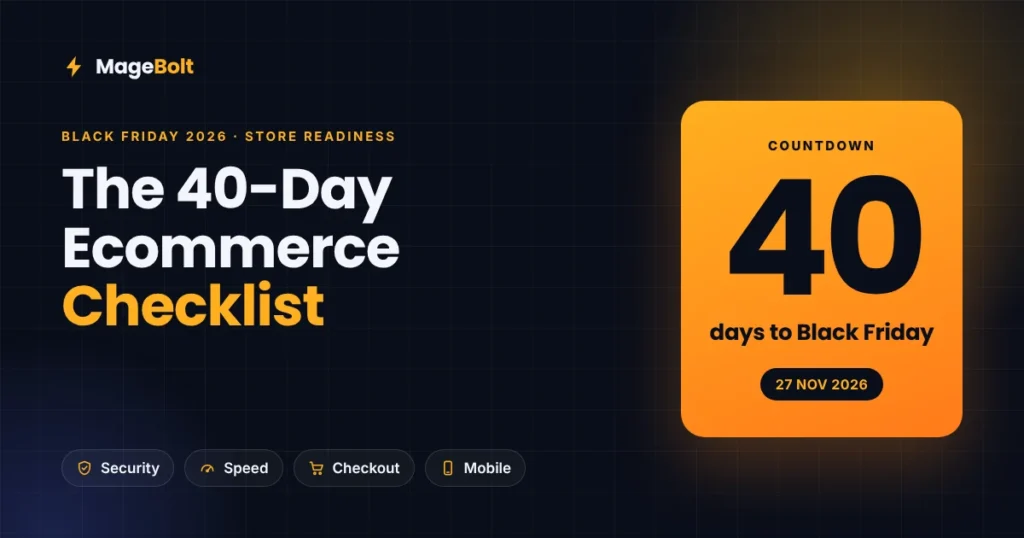
Black Friday Ecommerce Checklist 2026: Get Your Store Ready in 40 Days
5 min read
Black Friday lands on 27 November 2026, and Cyber Monday follows on 30 November. That gives you roughly 40 days. This Black Friday ecommerce checklist shows you what to fix first, so your store stays fast, safe and ready to sell.
Why your Black Friday ecommerce checklist starts today
Most online stores don’t lose peak sales to rivals. Instead, they lose them to a slow category page, a checkout that times out, or a security hole that takes the site offline.
This year, the risk is higher than usual. For example, Magento faced an actively exploited flaw in September 2026. In addition, AI shopping agents now compare stores on speed and data before a person ever clicks.
So we built this Black Friday ecommerce checklist from the same process our team at MageBolt runs with clients before peak season. It works for Magento, Adobe Commerce, Shopify, WooCommerce and headless stores.
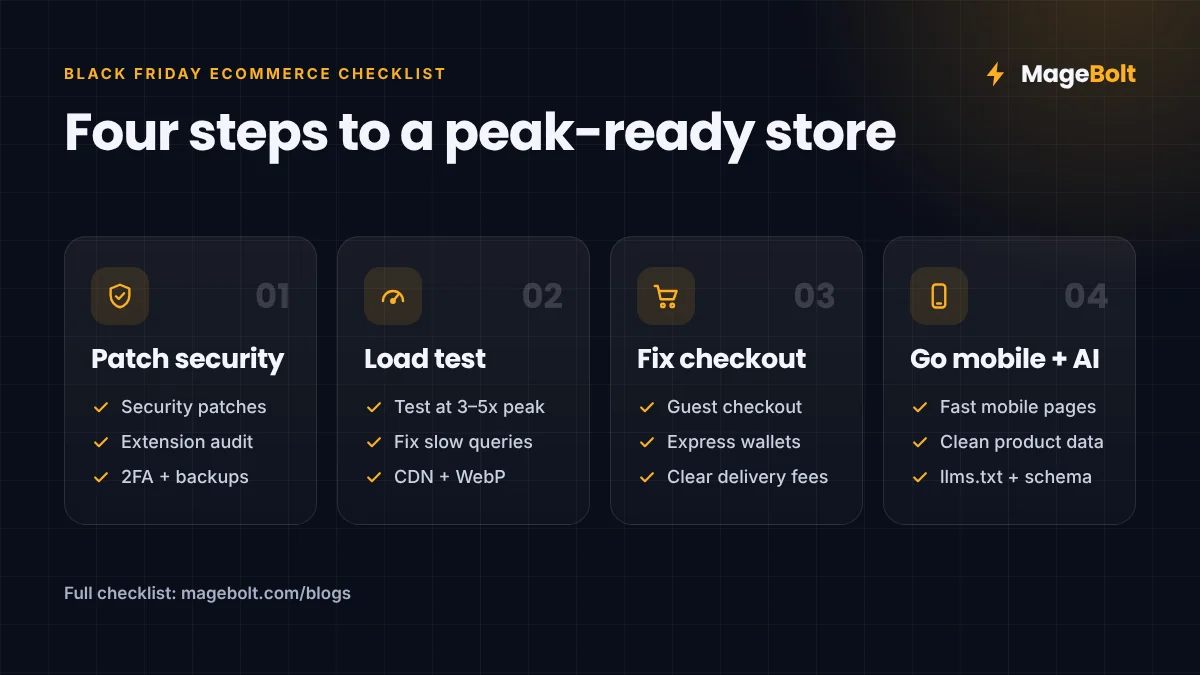
Step 1: Patch security before the traffic arrives
A breach during Black Friday week costs far more than any discount can earn back. That’s why security comes first on the list.
Here is what changed for Magento stores in 2026:
- On 7 September 2026, Adobe released bulletin APSB26-146 and confirmed that attackers were actively exploiting CVE-2026-75650.
- Adobe Commerce 2.4.5 and 2.4.6 reached end of support on 11 August 2026, so they no longer get regular patches (Codilar).
- Version 2.4.9 is the current release. Also, Adobe now ships dated monthly patch builds, such as 2.4.9-2026-sep (Elogic).
Your security checklist:
- Before anything else, confirm the exact platform version you run in production.
- Apply every 2026 security patch, but test each one on staging first.
- Audit your extensions and remove anything you no longer use.
- Turn on two-factor login for every admin, then rotate your API keys.
- Add a web application firewall, and test that your backups restore.
- On Shopify or WooCommerce, also review app permissions and update plugins.
Step 2: Load test for five times your normal traffic
Peak traffic can reach several times your usual load. As a result, a store that loads in two seconds on a quiet Tuesday can crawl at 9 pm on Black Friday.
However, speed problems rarely come from the server alone. For example, one hardware retailer we audited ran more than 12,000 database queries on each product page. After our performance optimization work, those pages ran fewer than 800 queries, a drop of over 93%.
Your performance checklist:
- Run a load test at three to five times last year’s best day.
- Profile slow pages, then fix heavy queries and uncached blocks.
- Check full-page cache hit rates on category and product pages.
- Serve images as WebP or AVIF through a CDN.
- Measure Core Web Vitals on real phones, not just on desktop.
- Scale your hosting early and agree on a code freeze date.
Step 3: Fix checkout leaks and cut cart abandonment
Ad costs rise for everyone during peak week, especially on Google and Meta. Therefore, every abandoned cart is paid traffic that you lose.
Small checkout fixes add up fast. For instance, a faster purchase flow helped our UAE pharmacy client cut cart abandonment by 35%.
Your checkout checklist:
- Walk through checkout yourself on a phone, as a guest, and time it.
- Offer guest checkout plus Apple Pay, Google Pay and PayPal.
- Show delivery dates and the full cost before the payment step.
- Test each payment gateway with real low-value orders, and keep a backup ready.
- Build your coupons, bundles and free-shipping rules in advance.
- Set up abandoned-cart emails and WhatsApp reminders before 20 November.
Step 4: Win mobile shoppers and AI shopping agents
A large share of peak-season traffic now comes from phones. In fact, a mobile-first rebuild lifted mobile conversions by 90% for one of our fashion clients.
Discovery is also changing. As we explained in The Agentic Web, AI agents now search, compare and even buy for shoppers. Meanwhile, Adobe announced a Commerce MCP Server and native Brand Concierge at Adobe Summit 2026 (Stellagent).
Your mobile and discovery checklist:
- Keep titles, prices, stock and shipping data accurate, with schema markup.
- Sync your Google Merchant Center feed daily during the sale.
- Make filters and search fast, especially on mobile category pages.
- Publish an llms.txt file so AI tools can find your key pages.
- Launch sale landing pages early, so search engines can index them in time.
Your 40-day Black Friday ecommerce checklist timeline
Spread the work across six weeks. Then each team knows exactly what to finish, and when.
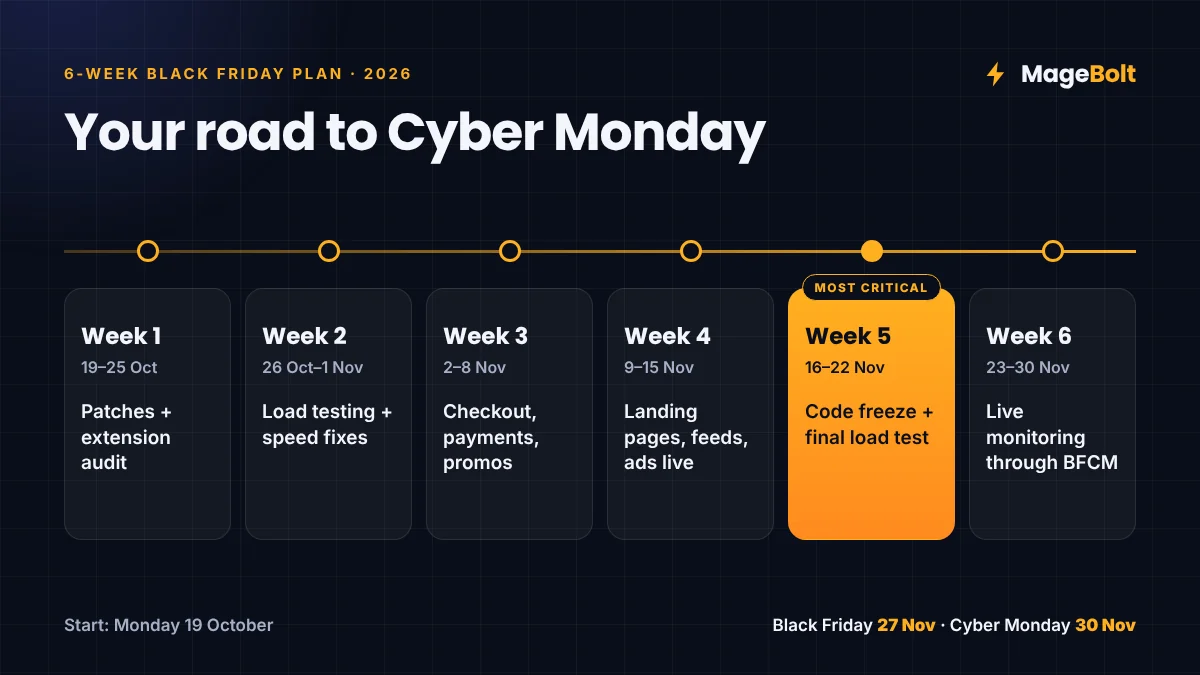
| Week | Dates (2026) | Focus |
|---|---|---|
| 1 | 19–25 Oct | Version check, security patches, extension audit |
| 2 | 26 Oct–1 Nov | Load testing and speed fixes |
| 3 | 2–8 Nov | Checkout, payments and promo rules |
| 4 | 9–15 Nov | Landing pages, feeds, emails and ads go live |
| 5 | 16–22 Nov | Code freeze, final load test, on-call rota |
| 6 | 23–30 Nov | Live monitoring of uptime, errors, sales and stock |
Above all, protect the code freeze in week five. No new features should go live in the ten days before Black Friday.
Real results behind this Black Friday ecommerce checklist
These steps come from real projects in pharmacy, home goods, fashion and industrial retail.
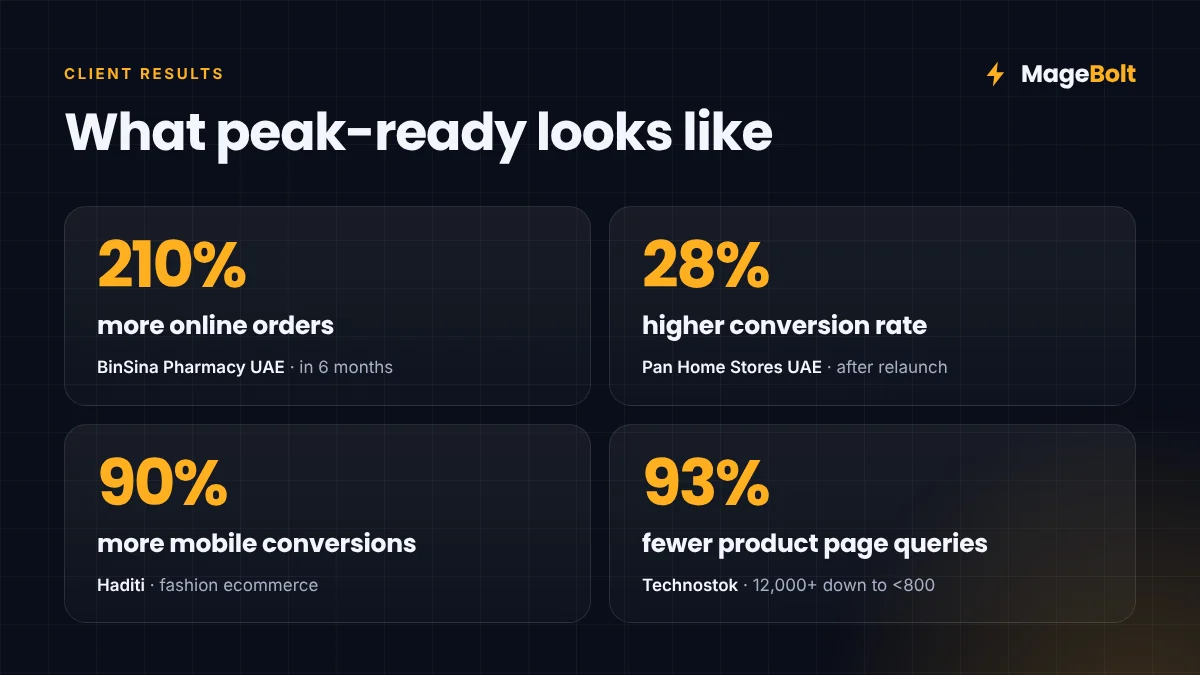
| Client | Industry | Result |
|---|---|---|
| BinSina Pharmacy UAE | Health and wellness | 210% more online orders in 6 months; 48% faster pages |
| Pan Home Stores UAE | Home and furniture | 28% higher conversion rate; 50% faster category pages |
| Haditi | Fashion | 90% more mobile conversions; 40% more repeat purchases |
| Technostok | Industrial hardware | 93% fewer product page queries; checkout security fixed |
You can also read each full story in our portfolio.
Black Friday ecommerce checklist FAQs
When should I start preparing my store for Black Friday?
Ideally, start six weeks before the sale. That leaves time to patch, load test and freeze code before peak traffic arrives.
What is a code freeze, and why does it matter?
A code freeze means you stop releasing new features before a big sale. As a result, you avoid untested changes that could break checkout at the worst moment.
Does this Black Friday ecommerce checklist work for Shopify stores?
Yes. However, Shopify handles hosting and core patches for you. So focus on apps, checkout settings, speed and product data instead.
Start your Black Friday prep with MageBolt
Forty days is enough time to work through this Black Friday ecommerce checklist, as long as you start this week. Our team can review your store’s security, speed and checkout, then share a clear plan.
Get a free quote or email sales@magebolt.com. We usually reply within 24 hours.
Sources: