Magento 2.4.9 Upgrade Guide: Is Your Store Still Supported in 2026?
4 min read
Adobe released Magento 2.4.9 on 12 May 2026, and older versions are now losing support fast. This Magento 2.4.9 upgrade guide shows where your store stands, what changes in the new stack, and how to upgrade safely.
Why a Magento 2.4.9 upgrade matters this year
Most store owners only think about upgrades when something breaks. However, 2026 has made waiting a real risk.
In September 2026, Adobe released bulletin APSB26-146 and confirmed that attackers were actively exploiting CVE-2026-75650. Stores on unsupported versions may not get fixes like this for long.
In addition, Adobe now ships dated monthly patch builds, such as 2.4.9-2026-sep. So staying current is no longer a once-a-year job. It is a monthly habit.
Which Magento versions are still supported?
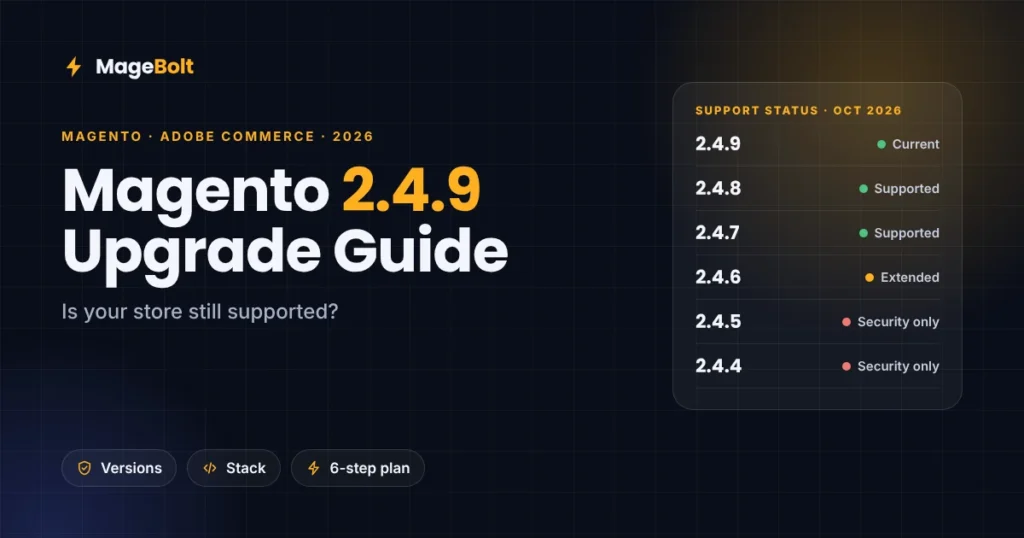
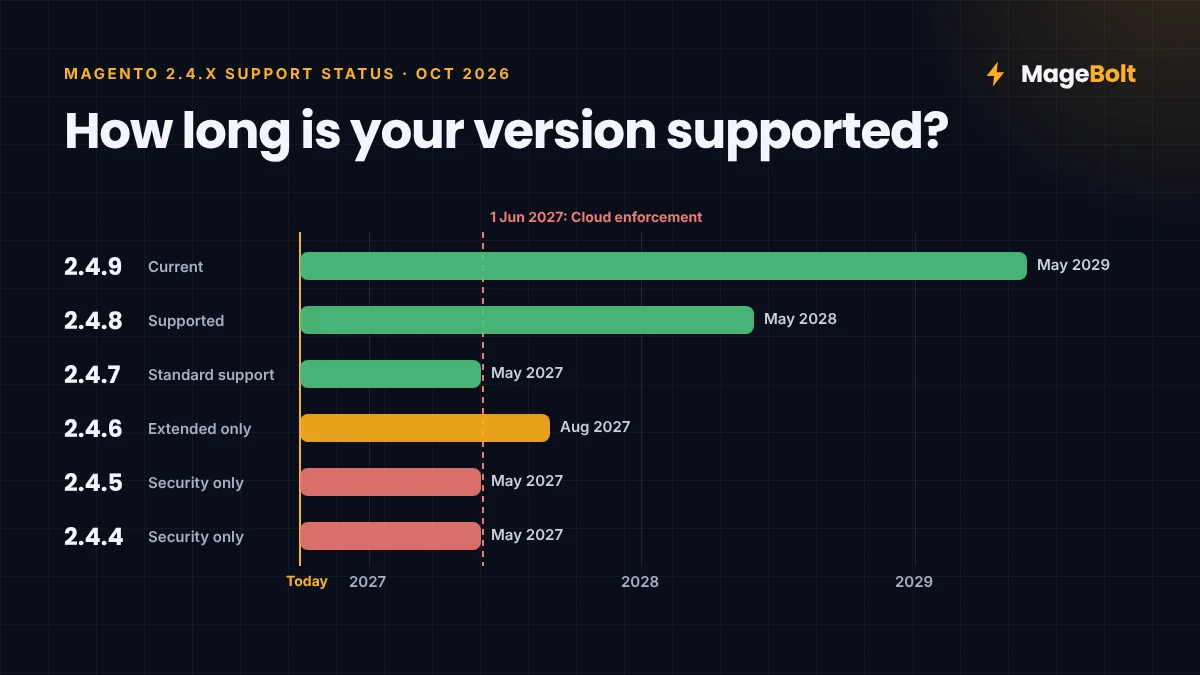
Here is where each 2.4.x release stands in October 2026, based on Adobe’s lifecycle dates as summarised by Elogic:
| Version | Status in Oct 2026 | Support ends |
|---|---|---|
| 2.4.9 | Current release | 31 May 2029 |
| 2.4.8 | Supported | 31 May 2028 |
| 2.4.7 | Supported | 31 May 2027 (standard) |
| 2.4.6 | Extended support only | 31 Aug 2027 |
| 2.4.5 | Security fixes only | 31 May 2027 |
| 2.4.4 | Security fixes only | 31 May 2027 |
Above all, note one date for Adobe Commerce Cloud. From 1 June 2027, Adobe can suspend traffic to Cloud stores that still run unsupported versions. In other words, your storefront could go offline.
What changes in the Magento 2.4.9 stack
This release is more than a version bump. Instead, it moves the whole server stack forward, so plan for infrastructure work as well as code work.
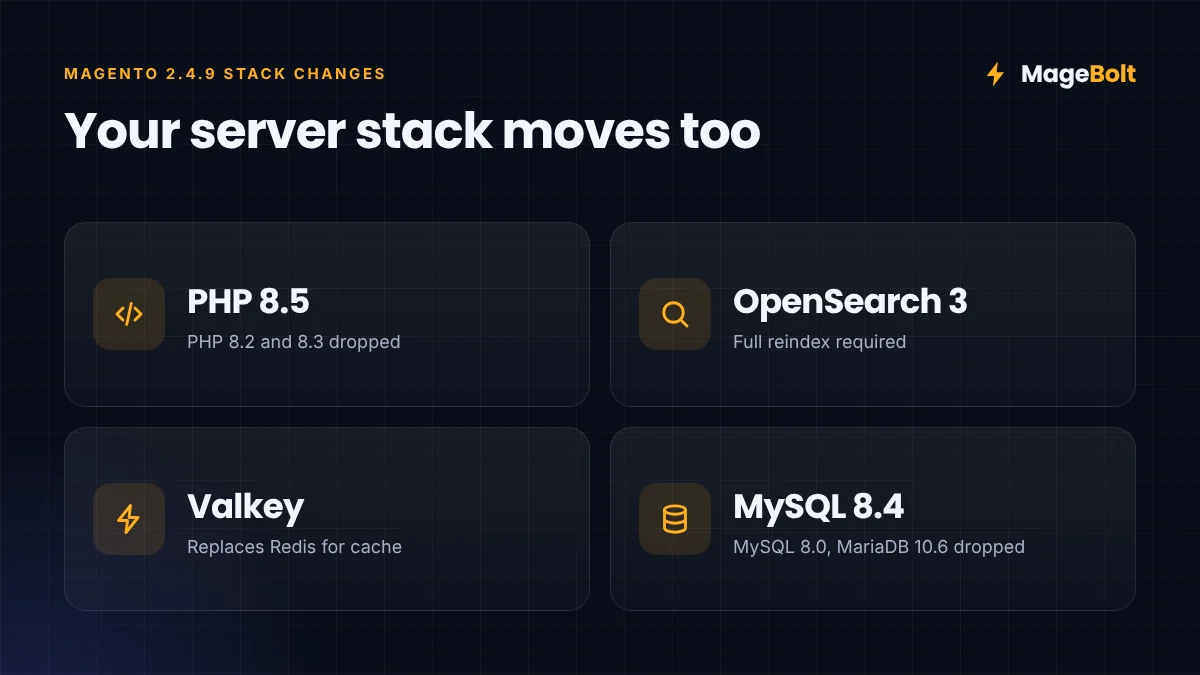
- PHP: 2.4.9 adds PHP 8.5 support. Meanwhile, PHP 8.2 and 8.3 are no longer supported (EveryHost).
- Search: Adobe tests 2.4.9 with OpenSearch 3. Because the index format changed, you need a full reindex.
- Cache: Valkey replaces Redis as the supported cache and session store.
- Database: MySQL 8.0 and MariaDB 10.6 are no longer supported, so move to MySQL 8.4 or a current MariaDB release.
- Fixes: The release also bundles hundreds of core bug fixes and security improvements.
The good news is that you can move some pieces early. For example, the 2.4.7 and 2.4.8 patches already support OpenSearch 3, so search can move before the main upgrade.
Your Magento 2.4.9 upgrade plan in six steps
A safe upgrade follows a clear order. Here is the process our Magento team uses with clients.
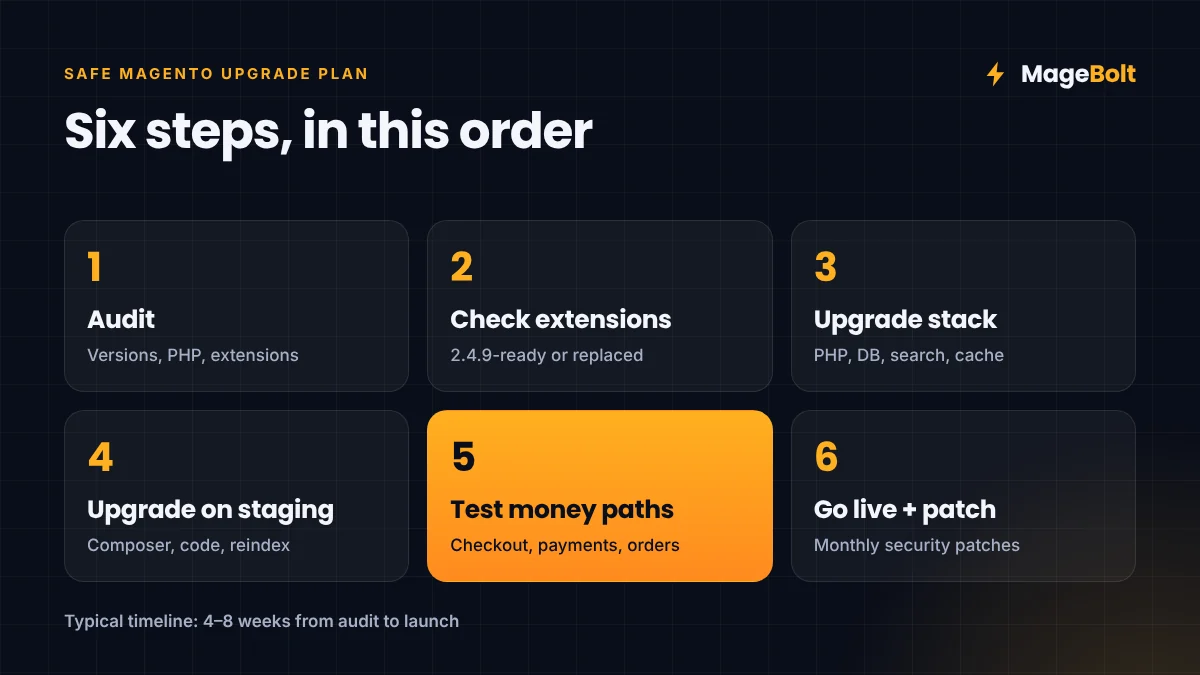
- Audit your store. First, record the exact version, PHP version and extension list for every environment.
- Check every extension. Then confirm each module supports 2.4.9, and replace any that its vendor has abandoned.
- Upgrade the server stack. Next, move PHP, the database, search and cache to supported versions on staging.
- Upgrade Magento on staging. After that, run Composer, fix custom code and reindex the catalog.
- Test the money paths. Before going live, test checkout, payments, customer login, promotions and order export.
- Go live and keep patching. Finally, deploy in a quiet window, then apply each monthly security patch.
In our experience, most mid-size stores need four to eight weeks from audit to launch. Heavily customised stores can take longer, so start the audit early.
Should you upgrade before Black Friday?
Timing matters here, because a major upgrade during peak season adds risk, especially if your code freeze starts in mid-November.
So for most stores, the safest plan looks like this:
- Now: Apply every 2026 security patch to your current version, and run the extension audit.
- Before peak: Freeze code, as our Black Friday ecommerce checklist recommends.
- January 2027: Run the full Magento 2.4.9 upgrade once peak traffic is over.
However, stores on 2.4.4 or 2.4.5 should not wait for long. Their security-only support ends on 31 May 2027, so book the upgrade early in the new year.
How MageBolt helps with Magento upgrades
Upgrades usually go wrong when teams skip the audit or test too little. Our team handles the full process, from version audit to post-launch patching.
For example, on one hardware store we cut product page database queries from over 12,000 to under 800. We also fixed critical checkout security issues at the same time. You can read that story in our portfolio.
Magento 2.4.9 upgrade FAQs
How long does a Magento 2.4.9 upgrade take?
Most stores need four to eight weeks, including the audit and testing. Stores with many custom modules or old extensions can take longer.
Can I skip versions and jump straight to 2.4.9?
Yes, you can usually upgrade from any 2.4.x release straight to 2.4.9. However, the jump is bigger from older versions, so testing takes more time.
Is Magento Open Source affected too?
Yes. Open Source stores also get the same release and security patches. So the same stack changes and testing apply to them.
Get a free Magento upgrade quote
Not sure where your store stands? If so, our team can check your version, extensions and server stack, then send a clear upgrade plan.
Get a free quote or email sales@magebolt.com. We usually reply within 24 hours.
Sources: